Discount Calculator Guide: Reverse Discounts, Stacked Deals & Markup vs Margin
Table of Contents
A jacket is marked down from $100 to $80 — a 20% discount. A week later the store "raises" it back by 20%. What is the price now? If you said $100, you have just fallen into the most common pricing trap there is. Twenty percent of $80 is $16, so the jacket is now $96. Percentages are not reversible by adding them back — and that single asymmetry is why a good discount calculator earns its place in your bookmarks.
This guide covers the full toolkit: how discount math works, how to reverse a discount to find the original price, why stacked discounts never add up the way you expect, and the markup-vs-margin distinction that trips up sellers. Every formula comes with a worked example you can verify in seconds.
How Discount Math Actually Works
A discount calculator does one fundamental operation: it multiplies the original price by (1 − discount rate). A 25% discount on $200 means $200 × (1 − 0.25) = $200 × 0.75 = $150. The discount percentage calculator inside simply reverses the same relationship when you need the rate: discount % = (original − sale) / original × 100.
That is the entire engine. Everything else — reverse discounts, stacked deals, markups — is this one multiplication applied in different directions or in sequence. Once you see the (1 − rate) factor clearly, the rest of this guide is just bookkeeping.
One practical note: always apply the discount to the pre-tax price. Sales tax and VAT are calculated on the discounted amount in almost every jurisdiction, so discount first, then tax. A price-after-discount calculator that mixes the order will be off by exactly the tax on the discount amount — small on a coffee, meaningful on a car.
The Reverse Discount: Finding the Original Price
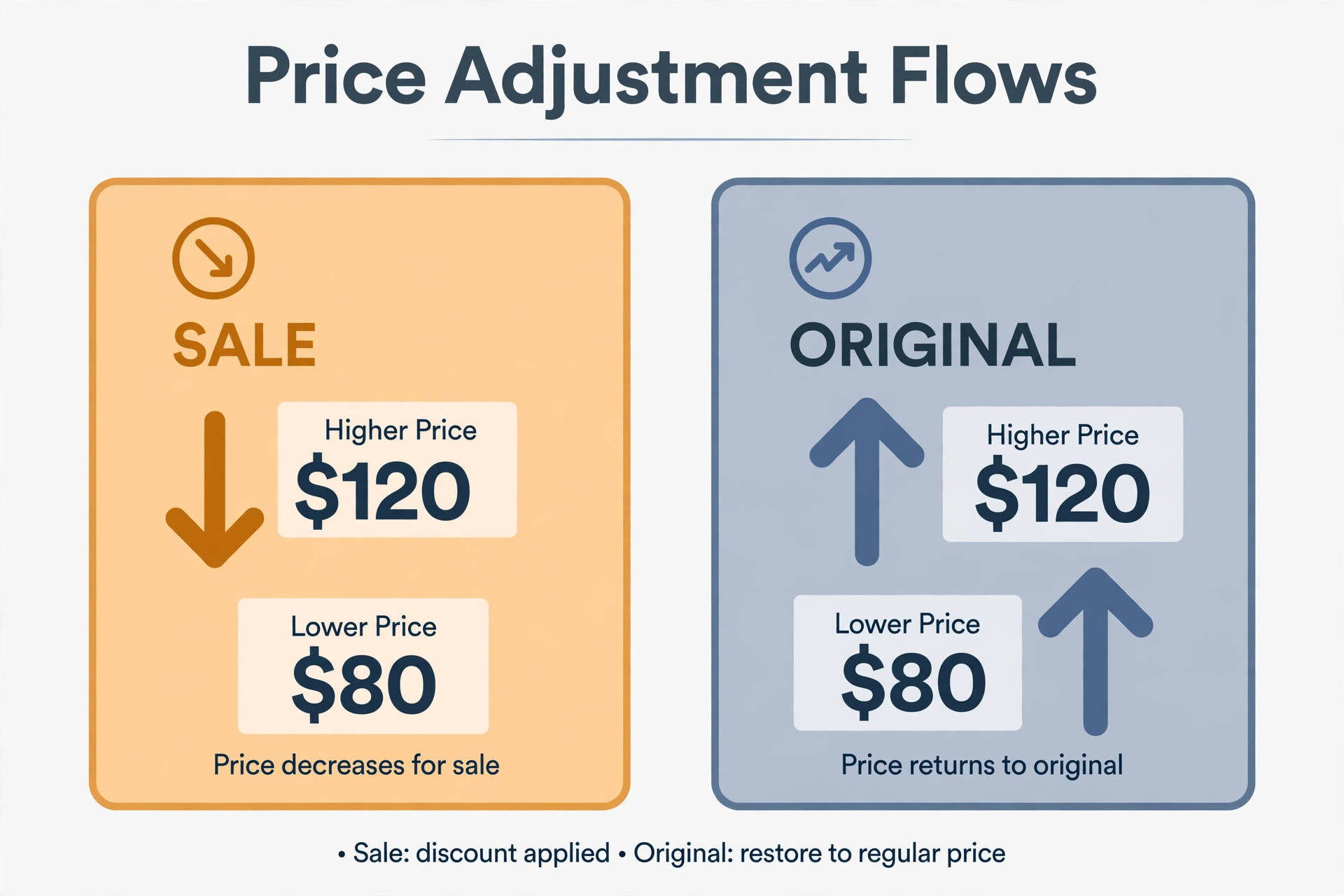
Here is the question a reverse discount calculator answers: the tag says $68 after 15% off — what was the original price? Your instinct says "add 15% back," giving $78.20. That is wrong, and the jacket example above shows why: percentages apply to different bases going each direction.
The correct formula divides instead of adding:
Original price = sale price ÷ (1 − discount rate)
So $68 ÷ (1 − 0.15) = $68 ÷ 0.85 = $80. The original price was $80, not $78.20. If you want to find the original price before a discount, division is the only correct move — adding the percentage back always undershoots, because you are taking the percentage of the smaller number.
This matters beyond shopping curiosity. Resellers use reverse discount math to check whether a "70% off" claim is plausible. Shoppers use it to spot inflated was-prices. And anyone reconciling receipts needs it when only the final total survived. A dedicated original price calculator removes the mental friction, but the formula is worth memorizing: divide by what remains, don't add back what was taken.
Stacked Discounts Don't Add Up
"Extra 10% off already-reduced items" — every sale season brings this sign, and almost everyone misreads it. A 20% discount followed by an extra 10% is not 30% off. Each discount applies to the already-reduced price:
$100 → 20% off → $80 → 10% off → $72. Total savings: 28%, not 30%.
The general rule: multiply the "remaining" factors. For discounts of 20% and 10%: 0.80 × 0.90 = 0.72, so you pay 72% — a 28% total discount. Add a third tier of 5% and it becomes 0.80 × 0.90 × 0.95 = 0.684, or 31.6% off. The gap between naive addition (35%) and reality (31.6%) grows with every tier.
This is exactly what a stackable discount calculator is for. Doing three sequential multiplications by hand invites rounding errors; the order also matters when you reverse the stack. To unwind stacked discounts, divide by each remaining factor in reverse order: $72 ÷ 0.90 ÷ 0.80 = $100. Reverse them in the wrong order and intermediate rounding can drift — the calculator handles the sequencing so you don't have to think about it.
Markup vs Margin: The Seller's Mirror Image
Discounts look at prices from the buyer's side. Sellers look from the other direction — and that is where the margin vs markup confusion lives. The two measure the same profit against different bases:
Markup = profit ÷ cost. A $60 item marked up 50% sells for $90.
Margin = profit ÷ selling price. That same $90 sale has a margin of $30 ÷ $90 = 33.3%.
Same $30 profit, two different percentages — because markup divides by the smaller number (cost) and margin divides by the larger one (price). A margin vs markup calculator converts between them, and the conversion is not symmetric: a 50% margin requires a 100% markup, while a 50% markup is only a 33.3% margin.
A reverse markup calculator answers the seller's version of the reverse-discount question: at what price must I sell to achieve a 40% margin on a $60 cost? Since margin is measured on price, price = cost ÷ (1 − margin) = $60 ÷ 0.60 = $100. Notice the formula is identical to the reverse discount — margin and discount are the same arithmetic wearing different clothes. If you can reverse a discount, you can compute a markup; the skill transfers completely.
Worked Examples: Real Numbers
Example 1 — simple discount. Headphones listed at $249 with 30% off: $249 × 0.70 = $174.30. You save $74.70.
Example 2 — reverse discount. A watch sells for $136 after 15% off. Original: $136 ÷ 0.85 = $160. (Adding 15% back would give $156.40 — wrong.)
Example 3 — stacked discounts. A $200 coat: 25% off, then an extra 15% off the sale price. $200 × 0.75 × 0.85 = $127.50. Total discount: 36.25%, not 40%.
Example 4 — markup to margin. A product costs $45 and sells for $75. Markup = $30 ÷ $45 = 66.7%. Margin = $30 ÷ $75 = 40%. Both describe the same $30.
Example 5 — reverse markup. You need a 35% margin on a $52 cost. Price = $52 ÷ (1 − 0.35) = $52 ÷ 0.65 = $80. Check: ($80 − $52) ÷ $80 = 35%. ✓
5 Discount Mistakes That Cost Money
1. Adding the percentage back. The $100 → $80 → $96 trap from the opening. Reversing a discount always requires division.
2. Adding stacked discounts. 20% + 10% is 28% off, not 30%. Retailers count on you not doing the multiplication.
3. Confusing markup with margin. Pricing at "50% markup" when you needed a 50% margin leaves real money on the table — you needed to double the cost, not add half.
4. Discounting after tax. Apply discounts to the pre-tax price. On a $1,000 purchase with 8% tax and 20% off, the correct total is $864 ($800 + $64 tax), not $880.
5. Trusting the was-price. Reverse the claimed discount on "was $200, now $99" deals. If the math doesn't produce a round, sensible original price, the was-price was likely inflated to make the discount look bigger.
How to Use the Stackable Discount & Reverse Markup Calculator
The Stackable Discount & Reverse Markup Calculator handles all five operations in one place, entirely in your browser — no sign-up, nothing uploaded:
1. Single discount: enter the original price and discount percentage to get the sale price and your savings.
2. Reverse discount: enter the sale price and discount percentage to recover the original price — the division the right way round.
3. Stacked discounts: add multiple discount tiers (20%, then 10%, then 5%) and get the true compounded total instead of the naive sum.
4. Markup: enter cost and markup percentage for the selling price, with the margin shown alongside so you never confuse the two again.
5. Reverse markup: enter cost and target margin to find the exact price that delivers it.
Every result shows the intermediate steps, so you can follow the arithmetic instead of trusting a black box. That transparency is the point: a discount calculator should teach the math, not hide it.
Try it free — no sign-up
Run the numbers yourself in seconds. Everything happens in your browser.
Open the Stackable Discount & Reverse Markup CalculatorFrequently Asked Questions
How do I calculate the original price before a discount?
Divide the sale price by (1 minus the discount rate as a decimal). If an item costs $80 after a 20% discount, the original price is $80 / (1 - 0.20) = $80 / 0.80 = $100. This reverse discount calculation is the opposite of applying a discount, and it is the most common reason people reach for a discount calculator — because adding 20% back onto $80 gives $96, which is wrong.
What is the difference between margin and markup?
Markup is calculated on cost; margin is calculated on selling price. A $60 cost with a 50% markup sells for $90, but the margin on that $90 sale is only 33.3% ($30 profit / $90 price). The same dollar profit is a bigger percentage when measured against the smaller number (cost). Sellers who confuse the two routinely underprice — a 50% margin requires a 100% markup, not 50%.
How do I reverse calculate a discount?
Use the formula: original price = sale price / (1 - discount rate). For stacked discounts, reverse them in the opposite order they were applied, one at a time. A $100 item discounted 20% then 10% sells for $72; reversing means $72 / 0.90 / 0.80 = $100. A reverse discount calculator does these steps for you so rounding errors don't creep in.
Why don't two stacked discounts add up to their sum?
Because each discount applies to an already-reduced price, not the original. A 20% discount followed by 10% gives 1 - (0.80 x 0.90) = 28% off total, not 30%. The second discount is 10% of $80 ($8), not 10% of $100 ($10). Retailers know this math; shoppers who add the percentages overestimate their savings.
Is a discount calculator accurate for tax-included prices?
Only if you apply the discount before tax. Sales tax and VAT are computed on the discounted price in most jurisdictions, so discount first, then tax. If a price tag already includes tax, strip the tax out first, apply the discount, then re-add tax. Mixing the order is one of the most common discount mistakes.