Open Graph Meta Tags: The Complete Guide to Social Media Previews
Table of Contents
- 1. What Open Graph Meta Tags Actually Are
- 2. The Four Required Open Graph Tags
- 3. og:image Specs That Actually Work
- 4. Twitter Cards: The X Factor
- 5. How Each Platform Reads Your Tags
- 6. Debugging Broken Link Previews
- 7. Generating Tags Without Hand-Writing Code
- 8. OG Meta Tags Beyond the Basics
- 9. 7 Mistakes That Break Previews
Paste a link into Facebook, X, or LinkedIn and a rich preview card appears: a big image, a bold headline, a short description. That card is not magic, and it is not generated by AI. It is built from open graph meta tags — a handful of HTML lines in your page's <head> that tell every platform exactly what to display. When those tags are missing or wrong, platforms guess: they grab a random image, truncate your headline, or show a grey empty box. This guide covers the open graph protocol end to end — the required tags, the image specs that actually work, how Twitter cards differ, how each platform reads your markup, and how to debug broken previews.
What Open Graph Meta Tags Actually Are
The open graph protocol was created by Facebook in 2010 to turn any web page into a rich object in a social graph. Before it, shared links were just blue underlined text. Open graph meta tags gave crawlers a structured vocabulary: og:title for the headline, og:description for the summary, og:image for the preview picture, and og:url for the canonical address.
Today the protocol is the universal standard for link previews. Facebook, LinkedIn, WhatsApp, Telegram, Slack, Discord, and Pinterest all read open graph tags. X (Twitter) has its own Twitter card format but falls back to open graph tags when Twitter-specific ones are absent. One set of tags, written once, controls how your link looks almost everywhere.
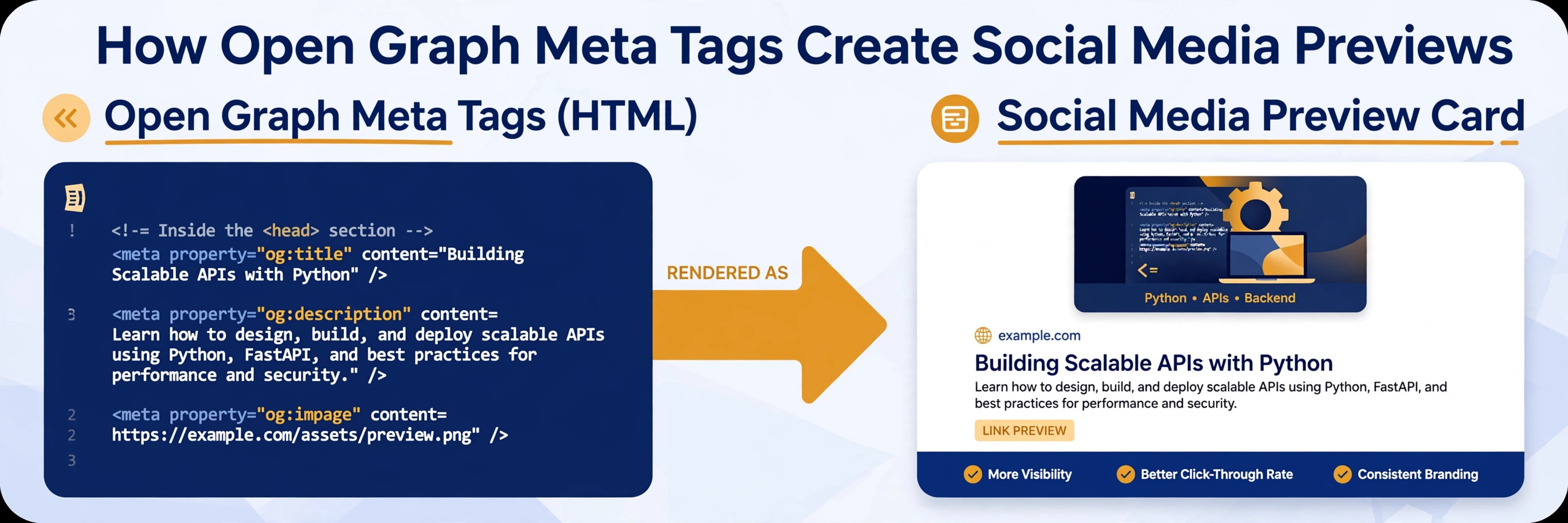
Here is the smallest complete set of open graph tags:
<meta property="og:title" content="Your Page Title" />
<meta property="og:type" content="website" />
<meta property="og:url" content="https://example.com/page" />
<meta property="og:image" content="https://example.com/images/preview.jpg" />
<meta property="og:description" content="A one-sentence summary of the page." />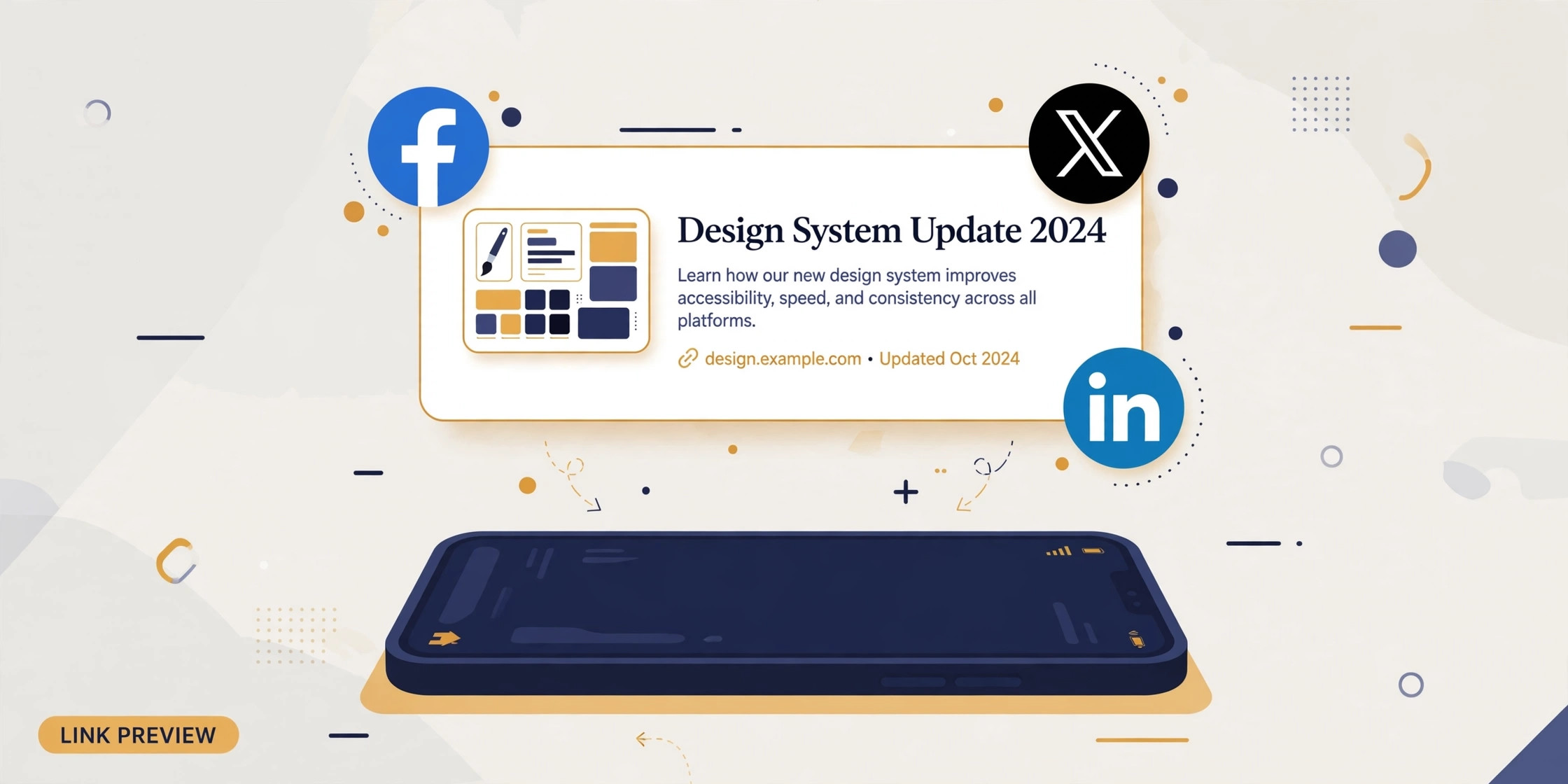
The Four Required Open Graph Tags
The open graph protocol defines four required properties. Everything else is optional enhancement. Get these four right and your previews will work on every major platform.
og:title — the preview headline. Keep it under 60 characters so it is not truncated; it can differ from your <title> tag and usually should be punchier, written for humans scanning a feed rather than search engines.
og:type — the object type. Use website for ordinary pages and article for blog posts and news (article unlocks article:published_time and article:author). Music, video, and product types exist but are rarely needed.
og:url — the canonical URL of the page. Always use the absolute URL including https://. This tag also consolidates likes and shares across URL variants (with or without trailing slash, UTM parameters) onto one object.
og:description — the preview summary, ideally 150–200 characters. It can mirror your meta description, but feeds reward a slightly more conversational tone than search snippets.
Beyond the required four, the most valuable optional tags are og:site_name (your brand, shown above the headline on Facebook), og:locale (e.g. en_US), and the image dimension tags og:image:width and og:image:height, which help crawlers reserve layout space and render previews faster.
og:image Specs That Actually Work
The preview image does most of the work — posts with images get dramatically more engagement than text-only links. But og image requirements are where most previews break, because each platform enforces minimums and the tags demand absolute URLs.
Size: 1200×630 pixels is the universally recommended open graph image size (1.91:1 ratio). Facebook requires at least 200×200; anything smaller is ignored. LinkedIn crops to roughly 1.91:1 on desktop. WhatsApp wants images under 300KB and at least 300×200, or it shows no preview at all.
URL: the og:image content must be an absolute URL starting with https://. Relative paths like /images/preview.jpg are the single most common reason for a missing preview image — social crawlers do not resolve relative URLs against your domain.
Format and weight: JPG or PNG work everywhere; WebP support is still inconsistent across messaging apps, so stick to JPG for previews. Keep the file under 8MB for Facebook and LinkedIn, and under 300KB if WhatsApp previews matter to you. Keep important text inside the central safe zone — platforms crop aggressively on mobile. For the full sizing breakdown, see our og image size guide.
Twitter Cards: The X Factor
X uses its own Twitter card markup, though it reads open graph tags as a fallback. If you only write open graph tags, X shows a basic summary card — functional, but not the large image layout most publishers want. Adding three Twitter-specific tags takes thirty seconds and is worth it:
<meta name="twitter:card" content="summary_large_image" />
<meta name="twitter:title" content="Your Page Title" />
<meta name="twitter:description" content="A one-sentence summary." />
<meta name="twitter:image" content="https://example.com/images/preview.jpg" />
Set twitter:card to summary_large_image for the big 1200×628 preview; the plain summary value gives a small thumbnail layout. Note the attribute difference: open graph uses property=, Twitter cards use name=. Mixing them up is a classic copy-paste bug — validators will silently ignore a twitter: tag written with property.
How Each Platform Reads Your Tags
Facebook reads the full open graph protocol and caches aggressively — the first scrape of a URL can stick for days, which is why the Sharing Debugger's re-scrape button exists. LinkedIn reads og:title, og:description, and og:image but ignores og:type extras; it also caches for about a week.
X prefers Twitter card tags and falls back to open graph. WhatsApp reads open graph tags but is the pickiest: image under 300KB, absolute URL, and the page must return the tags without JavaScript rendering — client-side-rendered SPAs often show no WhatsApp preview because its crawler does not execute JavaScript. Telegram, Slack, and Discord all read open graph tags with minimal caching, which makes them great for quick testing: share the link in a private channel and see the preview instantly.
Debugging Broken Link Previews
When a preview is wrong, work through this checklist in order. Nine times out of ten, the problem is in the first three steps.
1. View source. Open the page, view source, and confirm the og: tags are actually in the served HTML — not injected later by JavaScript. Social crawlers read raw HTML.
2. Check the image URL. Copy the og:image value into a new tab. If it does not load, neither will the preview. Confirm it is absolute (https://), publicly reachable, and meets the size minimums.
3. Check robots.txt. If your robots.txt blocks the platform's crawler (facebookexternalhit, Twitterbot, LinkedInBot), no tags will ever be read. This is a surprisingly common cause after a site hardens its crawler rules.
4. Re-scrape. Use the platform's debugger to force a fresh crawl: Facebook Sharing Debugger, X Card Validator, LinkedIn Post Inspector. This clears stale caches, which cause most "but I already fixed it" confusion.
5. Validate. Run the URL through an open graph validator to catch malformed tags — unescaped ampersands in content attributes, duplicate og:url values, or property/name mix-ups.
Generating Tags Without Hand-Writing Code
Hand-writing open graph tags is error-prone: one relative image URL or one property/name mix-up and the preview silently breaks. An opengraph generator (open graph generator) removes that risk — you fill in the title, description, URL, and image, and it emits the complete tag block with absolute URLs, correct attributes, and matching Twitter card tags.
The workflow takes under a minute: enter your page details in the Open Graph Generator, copy the generated markup, paste it into your page's <head> before the closing tag, then verify with a debugger. For sites with many pages, generate the block once as a template and have your CMS or static-site generator fill in the per-page values programmatically — the structure never changes, only the content attributes do.
OG Meta Tags Beyond the Basics
Once the core og meta tags are in place, a few optional properties polish your previews further. og:site_name brands every preview with your site name — on Facebook it appears above the headline in small caps. og:locale declares the content language (for example en_US), and og:locale:alternate lists other available languages for multilingual sites. Adding og:image:width and og:image:height lets crawlers reserve the right layout space before the image downloads, which makes previews render noticeably faster in feeds.
For article pages, switch og:type from website to article and add article:published_time, article:modified_time, article:author, and article:section. These article-specific og meta tags power the timestamp and author bylines you see on news previews. A good opengraph generator includes fields for all of these — not just the big four — so you never have to look up the property names.
Finally, test everything with the Facebook open graph debugger (officially the Sharing Debugger). Paste your URL, click “Scrape Again,” and it shows exactly which tags Facebook found, which it ignored, and any warnings — missing og:image, undersized images, or redirect chains. Run every important page through the Facebook open graph debugger after publishing; it takes ten seconds and catches the errors that silent fallbacks hide.
7 Mistakes That Break Previews
1. Relative image URLs. /images/preview.jpg instead of https://example.com/images/preview.jpg. Crawlers do not resolve relative paths.
2. JavaScript-rendered tags. Tags injected by client-side JS are invisible to most social crawlers. Server-render them or pre-render the head.
3. Crawler blocked in robots.txt. Blocking facebookexternalhit or Twitterbot kills previews site-wide.
4. Stale cache. Fixing tags without re-scraping leaves the old broken preview cached for days.
5. property/name mix-up. Open graph tags need property="og:*"; Twitter cards need name="twitter:*". Swapped attributes are silently ignored.
6. Oversized images. A 12MB PNG preview image times out on WhatsApp and slows every other platform's scrape.
7. No tags on some pages. Tags on the homepage but not on article pages means shared articles get grey empty boxes. Template the tags into every page.
Try it free — no sign-up
Run the numbers yourself in seconds. Everything happens in your browser.
Open the Open Graph GeneratorFrequently Asked Questions
What are open graph meta tags?
Open graph meta tags are small pieces of HTML placed in a page's head section that tell social platforms how to display the page when someone shares its link. The four required open graph tags are og:title, og:type, og:image, and og:url. Without them, Facebook, LinkedIn, and other platforms guess what to show — usually badly. The open graph protocol was created by Facebook in 2010 and is now the universal standard for link previews.
How do I add open graph tags to my website?
Add meta tags with property="og:*" attributes inside the
of each page: og:title for the preview headline, og:description for the summary text, og:image for the preview image (absolute URL), and og:url for the canonical page URL. For X (Twitter), add matching twitter:card, twitter:title, and twitter:description tags. An open graph generator tool creates this code for you — fill in the fields, copy the output, and paste it into your head section.Why is my link preview not showing an image?
The most common causes: the og:image URL is relative instead of absolute (crawlers need a full https:// URL), the image is smaller than the platform minimum (200x200 for Facebook), the server blocks the crawler via robots.txt, or the platform cached an older version of your tags. Fix the tags, then re-scrape the URL with the platform's debugger — Facebook Sharing Debugger, X Card Validator, or LinkedIn Post Inspector — to clear the cache.
What is the difference between open graph tags and Twitter cards?
Open graph tags (og:*) are the universal standard used by Facebook, LinkedIn, WhatsApp, Telegram, Slack, and Discord. Twitter cards (twitter:*) are X's own format, though X also reads open graph tags as a fallback. In practice, most sites include both: open graph tags for every platform, plus twitter:card set to summary_large_image so X shows the big preview layout.
What size should my og:image be?
Use 1200x630 pixels for Facebook and LinkedIn (1.91:1 ratio), which is the universally recommended open graph image size. For X large cards, 1200x628 works well. Keep the file under 8MB (under 5MB is safer for WhatsApp), use JPG or PNG, and keep important text away from the edges since platforms crop previews on mobile.
Do open graph tags affect SEO?
Open graph tags are not a direct Google ranking factor, but they strongly affect click-through rates when your links are shared on social platforms — and more clicks mean more traffic, engagement, and potential backlinks. A complete, accurate set of open graph meta tags is considered part of solid on-page hygiene alongside title tags and meta descriptions.